Internet Explorer 10, how to disable the icon "show password"


The version of Internet Explorer 10 included in Windows 8 includes an option that, through the touch of an 'eye' icon, it shows clear passwords that you enter on Web sites The risk to privacy is enough remote but present, we see how to get rid and prevent malicious dell'occhietto who incidentally passes to our PC can see the password that you entered.


To disable the icon "show password" in Internet Explorer 10 you need to go in the 'Local Group Policy Editor. To do this, you must press the key combination Win+R to bring up the box "Run" and give the command gpedit.msc. To underline the fact that the Local Group Policy Editor is only available in Windows 8 Pro and above, not on Windows 8 "standard."

At this point, you have to use the side navigation bar to reach the following path: User Configuration>Administrative Templates> Windows Components>User Interface credentials and double click on the key do not see the button to reveal the password.

Finally, put the check Enabled, click Apply and OK and the eye icon will be disabled. To verify that they are stored the settings, restart Internet Explorer and try to login to any website In case you change your mind, to regain the ability to display the password you type in gpedit.msc just go back online, double-click on the key to display the button to reveal the password and put the check to Not Configured.

Note that applying the change to the User
Configuration setting affects only the user account used to extend the icon to disable all system users must use the Computer Configuration.


DOWNLOAD CHROME 21 WITH THE SUPPORT OF RETINA-DISPLAY MACBOOK PRO, MICROPHONES AND WEBCAMS


Google has released a stable version of the world's most popular browser Chrome 21. The new program web applications can access the microphone and webcam user's computer.

To use the hardware Mac or Windows-based PC is
required plugins like Flash or Silverlight, said in a
statement. The application has access to the devices
after the consent is given by the user. Plans to build
a similar function to the browser Firefox developers
from Mozilla.

In addition, according to Google, the Chrome 21 adds
support for ultra high-resolution displays. Thus the
owners of MacBook Pro laptops with a screen Retina
can comfortably work with the browser. Previously,
support for resolution 2880 x 1800 pixels provides
only its own browser Apple - Safari.

The previous version of Chrome released on June 26.
According to the service StatCounter, Chrome
market share of Internet browsers for computers is
33.8%. He takes the first place in popularity,
surpassing Internet Explorer. Performance tests and
safety program is the undisputed champion, but this
browser incorporates the best qualities of its
competitors. The main ridge Chrome - it's speed, which is primarily interested in those who are walking
through the network. Upgrade to the latest stable version of Google Chrome 21 can be right now.

Download Google Chrome for Windows, Mac OS X and Windowx


Google Chrome is recognized as the fastest browser for OS X


Many users of OS X, among which are the fans of fast and high quality web surfing, prefer to use as a primary browser Google Chrome. And for good reason!
According to the reports provided by New Relic - Chrome is a browser that can really provide an instant search. True, there were some reservations, the fastest version of the "chrome" is not the last - the 23rd, and was released in May. 19th version of Google Chrome pleases quick search and the lack of any errors affecting the speed of loading and processing of information, which can not be said about the users of Mozilla Firefox and Safari.

That's settled first six best browser ever released
for OS X:
1 - Google Chrome (version 19);
2 - Google Chrome (version 21);
3 - Google Chrome (version 22);
4 - Google Chrome (version 20);
5 - Google Chrome (version 18);
6 - Mozilla Firefox (version 15).

As we can see, with each new version of Google, one
way or another, losing ground. The latter - the 23rd,
is not present in the list.
Studies show that 61% of web traffic from Mac-s is
from Safari (this is quite natural, because Safari is
the default browser on the "apple" platform), the second place with 21% of traffic is Google Chrome,
and the third - Mozilla Firefox and 18% of traffic.
Safari also dominates in the mobile arena, providing
users with iOS 87% of all of the traffic.


Google Chrome 8.0.552.208 Beta, version new browser is not final


Google Chrome 8.0.552.208 Beta, version new browser is not final


Google Chrome 8.0.552.208 Beta is the new version does not end quickly and that Google browser is now available for download via the Beta channel. As in previous versions, Google Chrome offers the possibility of private browsing, search suggestions and quick navigation through its WebKit-JavaScript engine based. The Google Chrome browser available for Windows operating systems XP, Vista and Windows 7, as well as Mac OS and Linux.

Importantly Google Chrome 8.0.552.208 Beta is a non-final version is not free of errors or unexpected behavior, so it is not recommended for daily or regular use of the Internet.

Google Chrome 8.0.552.208 Beta contains stability improvements and the graphical interface.

You can download Google Chrome in its latest beta version from the official link of Google Chrome Beta channel:
Download Google Chrome Beta
DOWNLOAD


A simple way to make a custom theme for google chrome


Who does not like to customize their browser with themes that make more cool? Dragons, music, martial arts movie characters are just one of the few issues that are usually achieved at the official gallery of themes for browsers such as Firefox or Chrome. But what if we give a touch more specific to the browser with our own photographs, choice of colors and combinations?. ChromeThemenet as Google Chrome offers customized to your taste.

A simple way to make a custom theme for google chrome


ChromeTheme is a website that allows us to customize every detail of appearance of Chrome.
Its interface is quite simple to use, with captions that point the item will be modified and a color palette large enough to have to choose how it will look our theme.

You can use background images in a new tab, the header of the browser and the background to the headwaters of the browser tabs. ChromeTheme not support images other than PNG format, with the aim that can be applied alpha transparency and make the background colors to be applied to the subject.

In contrast to these features, ChromeTheme not offer a preview of what our theme will look after you package it and install it in my opinion, would give added value to this utility.


Download Google Chrome 7.0.517.44 Portable available


Download Google Chrome 7.0.517.44 Portable available


If you're a fan of Google Chrome browser to one of these newer versions of the same and everything in "Portable".

What is Portable? This means that this browser can run without being installed on your computer and everything from a folder that is created.

The Google browser is one of the fastest growing in earlier months and can say it is the third (in contention).

In Google's blog talk about the various improvements of the version that has come barely three days ago and implements corrections.

We have brought greater security, fixing many bugs that it is normal to be plugging in different sub-versions released. Includes the latest version of Flash known, so no need to install the driver from the Adobe website or other servers.

This portable work correctly on Windows and you can find more information from your download link.
Google Chrome Portable 7.0.517.44
DOWNLOAD


Screen Capture, Chrome Extension to capture web pages


Screen Capture is a unique extension for the Google browser (Chrome), which is embedded on one side of the address bar of Chrome with all the extensions we use, as well as the Firefox browser extensions used by other developers , which can have thousands of these at our disposal.

Screen Capture, chrme Extension to capture web pages


Well going on I have to mention that with Screen Capture can capture web pages that we visit or just a part of them, everything depends on our needs, we can also add annotations and to highlight any party with an interest in showing, without certainly a very useful tool.

It should be noted that the outcome of the catch is given to us in PNG format and save it we must use the Screen Capture tool, save the bone to give you finish editing.

To use simply install via web browser as coming from any other extension, it is not necessary that we download to install.

Screen Capture
DOWNLOAD


Google Chrome 8.0.552.23 Beta, Google browser is refreshed


Google Chrome 8.0.552.23 Beta, Google browser is refreshed

Google brings us new version of the browser Fast: Google Chrome 8.0.552.23 Beta. As in the version previously, the browser bring browsing private, and add search suggestions option to open a incognito window but want to save the historic visit. Google Chrome 8.0.552.23 Beta available for all major Windows operating systems, including Windows 7.

New Google Chrome Beta. Browser brings, such as the version previous:
- One box for everything
- Application shortcuts
- Dynamic tabs
- Crash Control
- Incognito mode
- Secure Browsing
- Instant Email
- Import Settings
- Simpler Downloads


You can download the latest version of Google Chrome from the following links:

Download Google Chrome
DOWNLOAD


Google Chrome will be 60 times faster than Chrome 6


Google Chrome will be 60 times faster than Chrome 6


As we all know Microsoft's beta version Internet Explorer 9 in the public domain. MSIE9, such as Microsoft argues, is a browser The first which supports hardware acceleration for all HTML content 5.

But others are not watching. Ability to update Google's products are outside usual, in the process of preparation 7 Google Chrome said that it would be 60 times faster from Chrome 6. And just to counter graphics hardware capabilities MSIE9 support here is what James Robinson said, Software Engineer at Google.
"This system takes the best graphics API for used on any OS that supports Chromium: XP/Vista/7 Windows, Mac OS and Linux.


Neowin able to make its first test; MSIE9 winners but still leave the "Chrome 7 is much better than previous versions.

Google has created a series of demo to show what is possible using accelerated 2D API.


Google Web Search to look for SSL with SSL encryption by default and secure


Already four months ago Google launched a service a new dedicated to browsing is SSL secure and protected. Simply or Google web searches conducted through HTTPS and SSL encryption.

Ability to use the new service launched by the Mountain View giant is important if you want to surf safely without any third party or your ISP may appear predictable results when we give collateral through a Google search.

After seeing how to use Google and SSL, this article I describe guide on how to always use SSL encryption is offered by Google default each time the browser to always seek safe.

I declare that installing extensions named small SSL and Google Web Search using Google Chrome browser now known and utilizzatissimo between users.

Helping Google to always SSL
  1. Install the SSL extension Google Web Search

  2. Once the screen appears, click on Add as a Search Engine

  3. Will be released this window

  4. SSL extension Google Web Search

  5. Click OK


Now after installing the extensions we just do the first part of the guide. Let us see how to set search
Google is the default SSL.
  1. Click on menu options

  2. Entry Next click the default search Governance

  3. Click SSL Google Web Search and then click Set as default

  4. Now click Close

  5. Options from the menu in the "open page This" You must enter this address

  6. https://encrypted.google.com/

  7. To complete and save all
    click on Close


Now if you try to restart Your browser, you will see that the page will automatically appear Google SSL. By now all the research you make will be 128-bit encryption
so much safer.


Preventing Google closure Chrome when you close last tab


Preventing Google closure Chrome when you close last tab

Usability problems for many users
complaining about the Google Chrome browser certainly
automatically exit your browser when last tab (sheet) is closed.
Many people remain open to the Browser Google closes all open tabs
display the page "empty" with
thumbnails of the last site is open and sound-visited. In voice in this new post will be the latest see the light of very small extension
which would prevent the closure Chrome has closed the last tab open in your browser You.

Extension that does this is called
Tab Last Stand, a new addon for free download of Chrome extensions gallery change the default behavior of web browsers.

Once downloaded and installed should be able to Restart your Google Chrome use. If see it in action just close the tab last (by clicking the X next to the name tab) that opens to display a new card without that Chrome is closed.

Although there are some limitations,
the developer has promised improvements in The next version states that at the time This, this limitation on Chrome Last Tab Quality comes from that for the moment prevent the optimal solution for improving features and functionality.
Stay on the theme, I suggest you read article that explains how to hide tabs open.


Hiding tabs open in Firefox or Google Chrome


Hiding tabs open in Firefox or Google Chrome

When you surf the internet with a browser Your favorite almost always refers to the tab or tabs to open multiple pages web site and to read some simultaneously in the same browser window.

The form, which can only be used in
specific web browser to surf anonymous, highly customized and great value for great comfort they are in use.

But maybe when you're at work, school or similar places where we do not should find that our sailing, whether it will be very useful and
must be hiding in one click open a tab not see, maybe your boss,
browsing and tab sites that run on
browser you use.

Here it is, in this article, two very useful extension for Firefox and Chrome which will allows us to hide your open tabs.


Panic | extension for Mozilla Firefox

Panic this extension is very easy to use and allows you to hide tab with a simple key combination You can set your settings dell'addon like once installed on your browser You.

Allows both to hide good open tabs and restore them then by some other combination of advice keys. Single I urge you to follow is to set the URL field to Panic | address http://www.google.com | You to
reach the homepage of Google after tab hidden.

Link Download
Button-DOWNLOAD2 torfox


Boss Button | extension for Google Chrome

Boss buttons similar to adding above. Certainly been seen in the more easily configured and no require keystrokes to be executed.

After you install the Google browser
Chrome just click on the icon extension and see the hidden card open. For restore tab will not have to do is click dell'addon on the icon again.

Link Download
Button-DOWNLOAD2 torfox


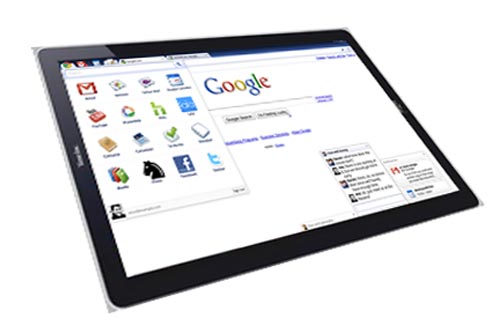
Tablet OS Chrome will be launched by Google on November 26 and will be produced by HTC


tablet google

The first tablet Google will soon be born according to the latest information on the web.
Perhaps it seems strange but tablets will not increase but the new Android operating system
or Web-based Google Chrome OS. From Engadget divulge any further details and other valuable information that is described in
below.
HTC is the manufacturer of tablets and for the second time will be no collaboration with the giant Mountain View has seen success with Nexus smartphone One. The specification will be frightening and can, in my opinion, to compete in all respects with the known iPad Jobs. Summing Steve, here are some technical specifications of the tablet:

- Screen 1280 x 720 resolution multi-touch screen;
- 2 GB RAM;
- NVIDIA Tegra 2;
- Minimum 32 GB of memory to disk (SSD);
- GPS
- 3G connectivity
.

It is possible to see in the tablet also webcam, memory card reader and Wireless G and It is unclear whether the hardware will not
"Locked" to not allow the installation of other operating systems like Windows-Ubuntu-7
Android - Jolicloud (OS and other "small" for netbooks) in a dual boot configuration.

Of course, see 32 GB of memory, space I think storage is more than adequate for Chrome OS is always (a cloud-based OS), occupies a small space and only used if
You have a stable network connection active.

Dealer with whom Google has
agreement will be Verizon.
Price, exactly? Currently not known but personally I think (I may be wrong also) does not exceed $ 600 as numbers.


TOR installation of Google Chrome to surf anonymously with IP spoofing in the network


For all users who have read the title of the post and want to continue reading I want to determine what actually TOR minor premise.

Tor project (TOR) is an online project that distributes worldwide a proxy for make anonymous Internet browsing and private. Using Tor can be operated under a different IP address that is not in accordance with our real given to us by offering our internet connection service providers.
Default TOR can be downloaded for free from Official website in different ways, with installation (recommended) at Windows and MAC and Browser Bundle package which requires no installation, just to USB sticks and integrate pre-configured with a Firefox extension for Tor BUTTON 'internal browser
, That little sense for the short and simple to understand.

As mentioned, the package is available for Windows and MAC are encouraged to download and install it in a graphical interface 'PCs. Vidalia called TOR, also included in installer together with other components.

In this post we will look at how use TOR on Google Chrome because Firefox is available only Tor Button and then TOR is used only in a browser Mozilla.

TOR Guide to Google Chrome
I declare that steps should taken if read properly and is suitable for all have been personally tested.

Step 1. Download and install the TOR:http://www.torproject.org/easy-download.html. (choose complete installation package if you are a user Windows and Mac);
Step 2. Install the extension Proxy Switchy:https://chrome.google.com/extensions/detail/caehdcpeofiiigpdhbabniblemipncjj! in Google Chrome browser;

After that, proceed as described.


>> Proxy icon Switchy! click options;

>> Enter the following settings in the field appropriate:

- Profile Name: Tor

- Manual Setup | HTTP Proxy: 127.0.0.1 | Port: 8118


click on the box Use the Same Proxy Server for all protocols. Then click Save.

continue with the steps.


>> Go to the Public: put the box on Fast Switch and Switch to Binary and ball set the following profile:

- Profile 1: Direct Connection

- Profile 2: Tor Click Save.


Configure the extension is completed.
If you want to switch from a normal connection to Anonymously connect with only open Vidalia TOR TOR icon (start menu or desktop) and TOR-click Start.

When freed from Vidalia Connected to vote Tor network! Simply click the Proxy button Switchy!
In Chrome (lights on) and wait some second.After bit 'trying to navigate, and you'll see, you go a little 'more slowly because the proxy is running, but instead use anonymous IP addresses determined by different provider (ISP).

To navigate back to normal again click Switchy proxy button! TOR and close (right click icon on the > taskbar to stop Tor exit >).


To secure anonymous surfing advice, for read the article about the best proxy circulation and how to configure all browsers to surf anonymous.


Available the first beta version of Google Chrome 6


google chrome

Google has released the first beta version of Chrome 6, the next generation of web browsers.
This beta includes features previously only available in the developer version of Chrome,
now available for wider use.
Enhanced auto-fill is an important new feature in beta Chrome 6 and beyond most forms of self-
completion Other browsers, as well as to complete credit card numbers.

Google said the information "stored in a safe and
personal till" users choose to share information with the web site. "Credit card information is stored only if requested explicitly.
Auto-fill store data synchronization via Google Chrome, but Google says, "Credit card details are
clearly excluded in this process.
"Other improvements in the releases is increased speed by 15% - an increase of V8 and SunSpider benchmark, which tests the
performance of JavaScript engines - and the facelift for the browser user interface placing all menu options in a single menu.


Sundries article Copyright © 2010 LKart Theme is Designed by Mobile